

Loading blog post...
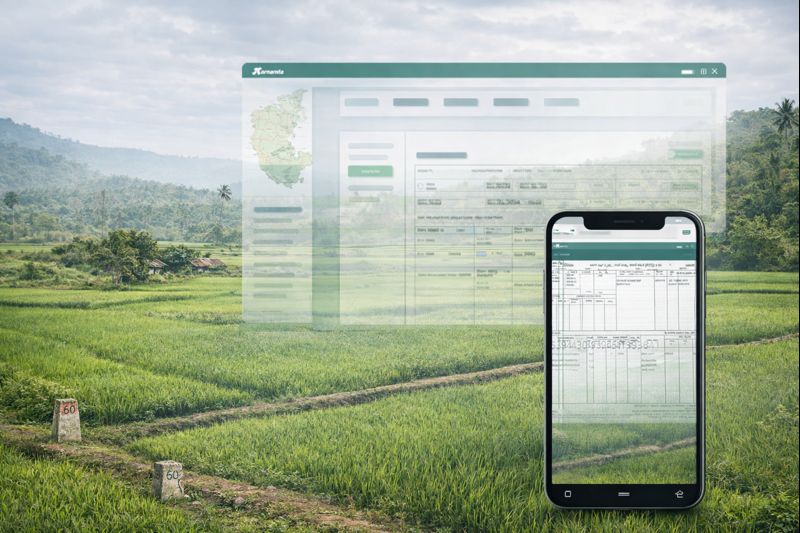
Imagine finalising a land deal in Tumkur, transferring funds, and then discovering the seller was never the legal owner of record. Or purchasing what you believed was a residential plot in Ramanagara, only to find the RTC still classifies it as agricultural land — making construction legally impossible. These are not hypothetical horror stories; they are documented disputes that Karnataka courts handle every year.
The RTC (Record of Rights, Tenancy and Crops) — known locally as Pahani (ಪಹಣಿ) — is the single most important land record document in Karnataka. It is the Revenue Department's official register of who owns land, how it is classified, whether it carries encumbrances, and who cultivates it. Before any agricultural or converted land transaction in Karnataka, verifying the RTC is not optional — it is foundational.
Karnataka's Bhoomi portal has digitised over 20 million land records across the state, making RTC verification accessible online within minutes. This 2025 guide explains what RTC/Pahani contains, why it matters for buyers, how to access it on Bhoomi, what red flags to watch for, and how Legal Byte's AI-powered tools can automate the entire verification process for you.
RTC stands for Record of Rights, Tenancy and Crops. It is an extract from the Pahani Register maintained by the Village Accountant (Patwari/Shanbhog) under the Karnataka Land Revenue Act, 1964. Every land parcel in Karnataka — identified by a unique Survey Number and, where subdivided, a Hissa Number — has a corresponding RTC entry.
The document is formally called Form 16 under the Karnataka Land Revenue Rules. When you request an "RTC" or "Pahani," you are requesting a certified extract of Form 16 for a specific survey number. This extract is legally admissible as evidence of ownership and land classification in Karnataka courts and revenue tribunals.
The RTC is updated by the Village Accountant after every registered transaction, mutation order, crop season, or government notification affecting the land. This means a current RTC reflects the most recent legal status of the property — which is precisely why buyers, banks, and lawyers treat it as the starting point of any due diligence exercise.
Understanding what each column of an RTC means is essential for interpreting the document correctly. A standard Karnataka RTC (Form 16) contains the following fields:
| Column / Field | What It Records | Why It Matters to Buyers |
|---|---|---|
| District, Taluk, Hobli, Village | Administrative location of the land parcel | Confirms the land is in the jurisdiction you expect |
| Survey Number / Hissa Number | Unique identifier for the parcel | Must match sale deed and other documents exactly |
| Owner's Name (Khatedar) | Registered owner(s) as per revenue records | Seller's name must match; discrepancy signals title risk |
| Nature of Land (Judi/Sarkari) | Whether land is private, government, or inam | Government or inam land cannot be freely transacted |
| Land Classification (Dry/Wet/Garden) | Agricultural classification based on irrigation | Affects conversion requirements and permissible use |
| Area (Acres/Guntas) | Total extent of the parcel | Must match sale deed; shortfall indicates encroachment |
| Encumbrances / Liabilities | Loans, mortgages, or government dues on the land | Encumbered land transfers liability to the buyer |
| Tenancy Details | Whether a tenant cultivates the land | Tenants have statutory rights; eviction is legally complex |
| Crop Details (Kharif/Rabi) | Crops grown in current and previous seasons | Confirms land is actually agricultural; relevant for conversion |
| Water Source | Irrigation source (canal, well, rain-fed) | Determines wet/dry classification and land value |
| Mutation Number (MR No.) | Reference to the last mutation order | Allows tracing of ownership change history |
The RTC is the revenue record of ownership. If the seller's name does not appear as the Khatedar, they may lack the legal authority to sell. In Karnataka, it is not uncommon for sale deeds to be registered in one name while the RTC still reflects a deceased ancestor — a situation that creates serious title defects. Verifying the RTC before signing any agreement is the first line of defence against fraudulent sales.
Under the Karnataka Land Reforms Act, 1961, agricultural land cannot be purchased by non-agriculturists without specific exemptions. If the RTC shows the land as agricultural (dry, wet, or garden), the buyer must verify whether a valid Section 95 conversion order exists before using it for residential or commercial purposes. Purchasing unconverted agricultural land for non-agricultural use exposes buyers to demolition orders and forfeiture proceedings.
Karnataka's revenue records distinguish between private land and land classified as Sarkari (government), Gomal (grazing), Kharab (wasteland), or Inam (granted land). Transactions involving these categories are either prohibited or require special government approval. An RTC check immediately flags whether the land falls into any restricted category.
While the Kaveri Online Encumbrance Certificate (EC) is the primary source for registered encumbrances, the RTC also records certain liabilities — particularly government loans under agricultural credit schemes and land revenue arrears. A buyer who skips RTC verification may inherit these dues, which the government can recover by attaching the land.
Every scheduled bank and housing finance company in Karnataka requires a current RTC (typically not older than 30 days) as part of the loan documentation for agricultural or converted land. Without a clean RTC, loan disbursement will be blocked regardless of how strong the rest of the title appears.
After purchasing land, the buyer must apply for mutation — updating the RTC to reflect the new owner's name. If the previous owner's RTC had discrepancies, the mutation process will be delayed or rejected by the Tahsildar. Verifying and resolving RTC issues before purchase prevents post-registration complications that can take years to resolve.
The Karnataka Government's Bhoomi portal (bhoomi.karnataka.gov.in) is the official platform for accessing digitised land records. Here is how to view and download an RTC online:
| Document | Purpose | Where Submitted |
|---|---|---|
| Survey Number / Hissa Number | Identifies the specific land parcel on Bhoomi | Bhoomi portal / Nadakacheri |
| Aadhaar Card (applicant) | Identity verification for certified extract applications | Nadakacheri / Tahsildar office |
| Registered Sale Deed / Gift Deed | Required for mutation application after purchase | Tahsildar office (mutation) |
| Previous RTC (seller's name) | Establishes chain of title for mutation | Tahsildar office (mutation) |
| Death Certificate + Legal Heir Certificate | Required for mutation after inheritance | Tahsildar office (mutation) |
| Court Order / Partition Deed | Required for mutation after partition or court decree | Tahsildar office (mutation) |
| Encumbrance Certificate (from Kaveri Online) | Cross-verification of encumbrances against RTC entries | Bank / Legal due diligence |
This is the most critical red flag. If the person selling the land is not listed as the Khatedar in the current RTC, the sale may be legally void. This situation arises when mutation was never completed after a previous sale, inheritance, or partition. Do not proceed without resolving this discrepancy through a formal mutation order from the Tahsildar.
If the RTC shows the land as agricultural and the seller claims it has been converted for residential use, demand the original Section 95 conversion order issued by the Deputy Commissioner. Verify the conversion order number against the DC office records. Absence of a valid conversion order means any construction on the land is illegal under Karnataka law.
When an RTC shows multiple co-owners (joint family property or inherited land), all co-owners must consent to the sale. A sale by one co-owner without the others' consent is voidable. Insist on a registered partition deed or a No Objection Certificate from all co-owners before proceeding.
Some survey numbers contain both private and Kharab (government wasteland) portions. If the RTC shows a Kharab component within the survey number being sold, the seller cannot legally convey that portion. Verify the exact private extent against the total survey area.
An RTC showing outstanding government loans (e.g., under the Karnataka State Financial Corporation or agricultural credit schemes) means the land is encumbered. These dues must be cleared before or at the time of sale, with documentary proof of discharge obtained from the lending authority.
If the RTC records a tenant (cultivating occupant) under the Karnataka Land Reforms Act, that tenant may have statutory rights to purchase the land. Transactions involving tenanted land require careful legal review and, in some cases, Karnataka Land Reforms Tribunal clearance before the sale can proceed.
If the area mentioned in the proposed sale deed differs from the RTC extent — even by a few guntas — it signals either encroachment, an unrecorded subdivision, or a measurement error. Commission a fresh survey by a licensed surveyor and reconcile the figures before registration.
An RTC that still shows a deceased person as owner, or reflects ownership from a decade-old transaction, indicates that mutations have not been updated. This creates a gap in the title chain that courts and banks will flag. Insist that the seller complete pending mutations before the sale.
| Document | Portal / Source | What It Confirms | Used For |
|---|---|---|---|
| RTC / Pahani (Form 16) | Bhoomi portal | Ownership, classification, encumbrances, crops | Primary title verification for agricultural/converted land |
| Encumbrance Certificate (EC) | Kaveri Online | Registered transactions and mortgages on the property | Confirming no registered encumbrances exist |
| Mutation Register (MR) | Bhoomi portal | History of ownership changes in revenue records | Tracing title chain through revenue records |
| Tippan (Field Measurement Book) | Survey Department / Bhoomi | Physical boundaries and measurements of the parcel | Boundary disputes and area verification |
| Khata Certificate / Extract | BBMP e-AASTHI / CMC | Property tax assessment for urban properties | Urban property transactions within BBMP limits |
| RERA Registration | K-RERA portal | Developer registration and project approvals | Apartment and layout purchases from developers |
The Karnataka Revenue Department has made several significant upgrades to the Bhoomi portal in the 2024–2025 period that property buyers and legal professionals should be aware of:
Manual RTC verification requires knowing exactly what to look for — and most buyers do not have the legal training to interpret every column correctly. Legal Byte's Scrutin 360 service automates this process using AI trained on Karnataka land law and revenue records. When you upload or share the property details, Scrutin 360 cross-references the RTC against the sale deed, EC from Kaveri Online, and conversion orders to identify discrepancies, red flags, and missing documents — delivering a structured due diligence report that a lawyer would typically take days to compile.
Scrutin 360 is particularly valuable for NRIs and out-of-state buyers who cannot physically visit the Tahsildar's office or Bhoomi kiosks. The entire verification process is conducted remotely, with a detailed report delivered digitally.
One of the most common problems in Karnataka land transactions is missing or outdated RTC records — particularly for older properties where mutations were never completed or where records were damaged before digitisation. Legal Byte's DocGet service retrieves these missing documents directly from the Bhoomi portal, Nadakacheri, and the Tahsildar's office on your behalf.
DocGet can retrieve:
This is especially useful when sellers claim documents are unavailable or when the property has changed hands multiple times without proper documentation.
The RTC/Pahani is not a bureaucratic formality — it is the legal foundation of every land transaction in Karnataka. It tells you who owns the land, how it is classified, whether it is encumbered, and whether the seller has the legal authority to sell. Skipping or superficially reviewing this document is one of the most common — and most costly — mistakes that property buyers make in Karnataka.
With the Bhoomi portal making RTC access faster than ever in 2025, there is no excuse for proceeding without a thorough verification. But access is only half the challenge — interpretation is the other. Knowing that an RTC shows "Kharab" land or an unresolved tenancy entry requires legal knowledge to act on correctly. That is where professional due diligence becomes indispensable.
Legal Byte's Scrutin 360 combines AI-powered analysis with Karnataka land law expertise to give you a complete picture of any property's legal status — including a detailed RTC review — before you commit a single rupee. If documents are missing or outdated, DocGet retrieves them directly from the Bhoomi portal, Kaveri Online, BBMP e-AASTHI, and K-RERA on your behalf. Start your property due diligence at legalbyte.ai today and buy with complete confidence.

LegalByte (Lexipro Solutions Pvt. Ltd.) is a technology-enabled due diligence platform, not a law firm. Reports reviewed and signed off by an advocate constitute that advocate’s legal opinion, subject to the scope and qualifications stated in the report. Reports and analyses without that sign-off are informational only and do not constitute a legal opinion.
© 2025 NVIDIA, the NVIDIA logo, are trademarks and/or registered trademarks of NVIDIA Corporation in the U.S. and other countries.
